
Enabling the Replenish Widget for app block compatible post-purchase pages
Please Note:
This article is for merchants who HAVE migrated their store over to use app block compatible post-purchase pages.
To enable Replenish on your app block compatible post-purchase pages, you will need to add the Replenish Reminder Widget app block to your Thank You and Order Status pages via the Shopify Checkout Editor.
Adding the app block
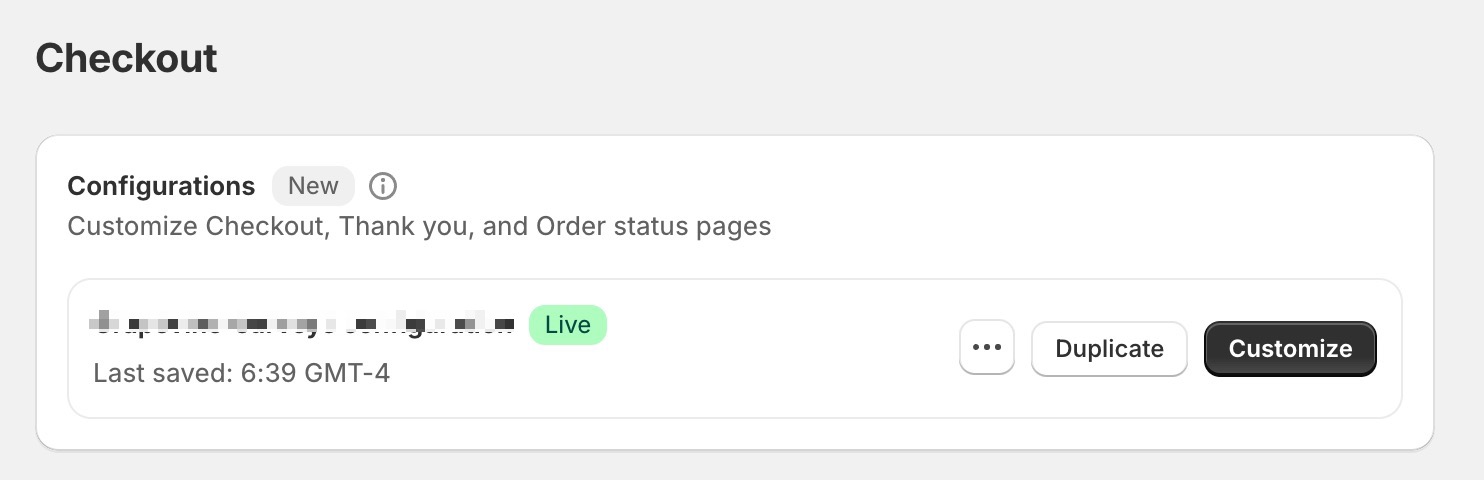
Head to the Checkout Editor within your Shopify Store by navigating to:
Shopify Admin > Settings > Checkout
and within the Configurations section, select the Customize button:
Note: If you don’t see the Customize button or can’t access the Checkout Editor, confirm you’re logged into the correct store and that your staff account has permission to edit checkout/customize checkout. Some Shopify plans/configurations may not support customizing these pages.
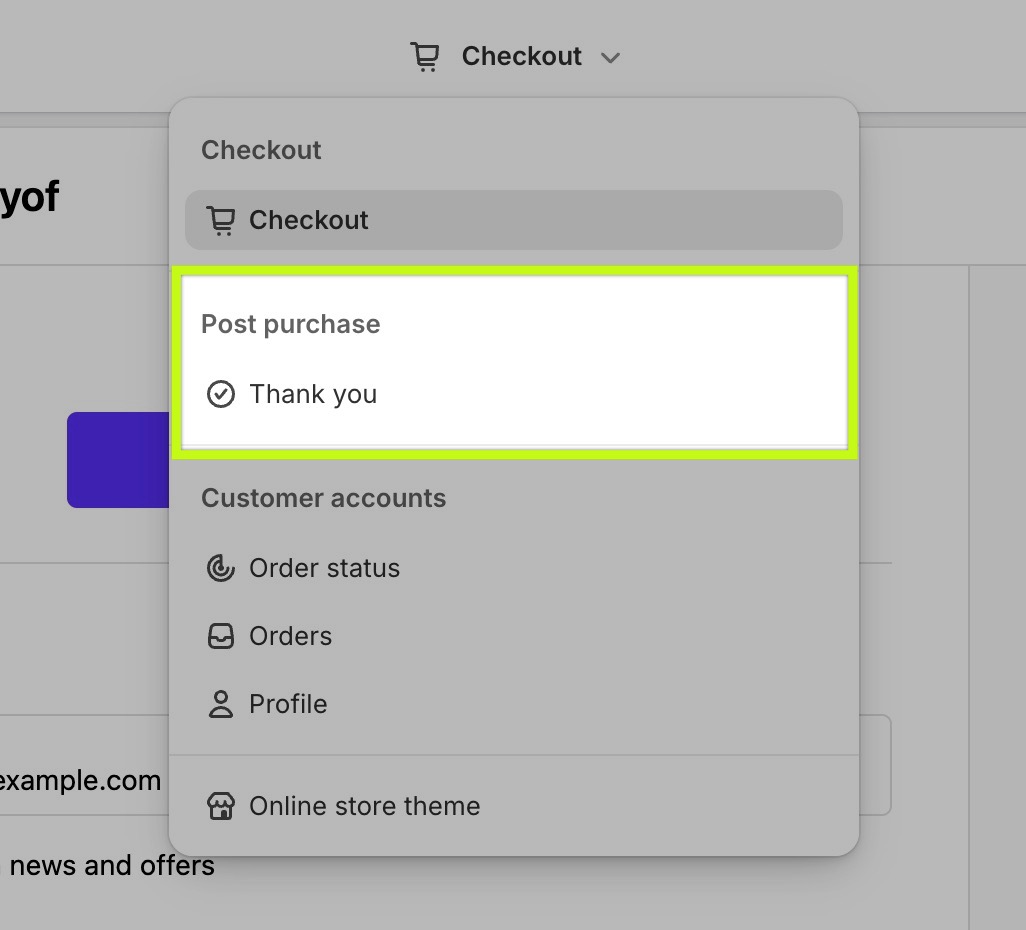
At the top of the Checkout Editor, start by selecting the Thank You page from the dropdown:
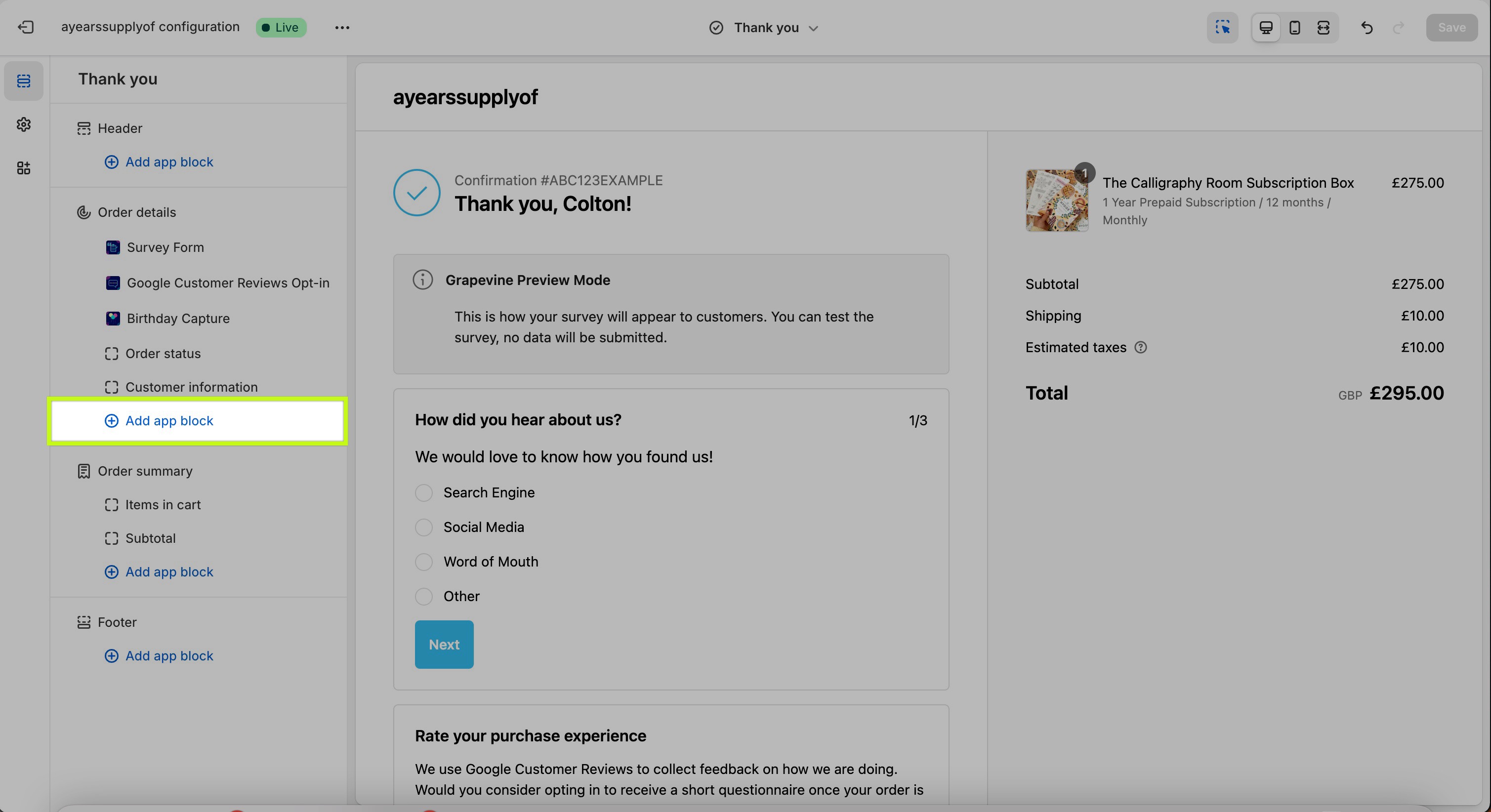
At the bottom of the Order details section in the left-hand pane of the Checkout Editor, select Add app block:
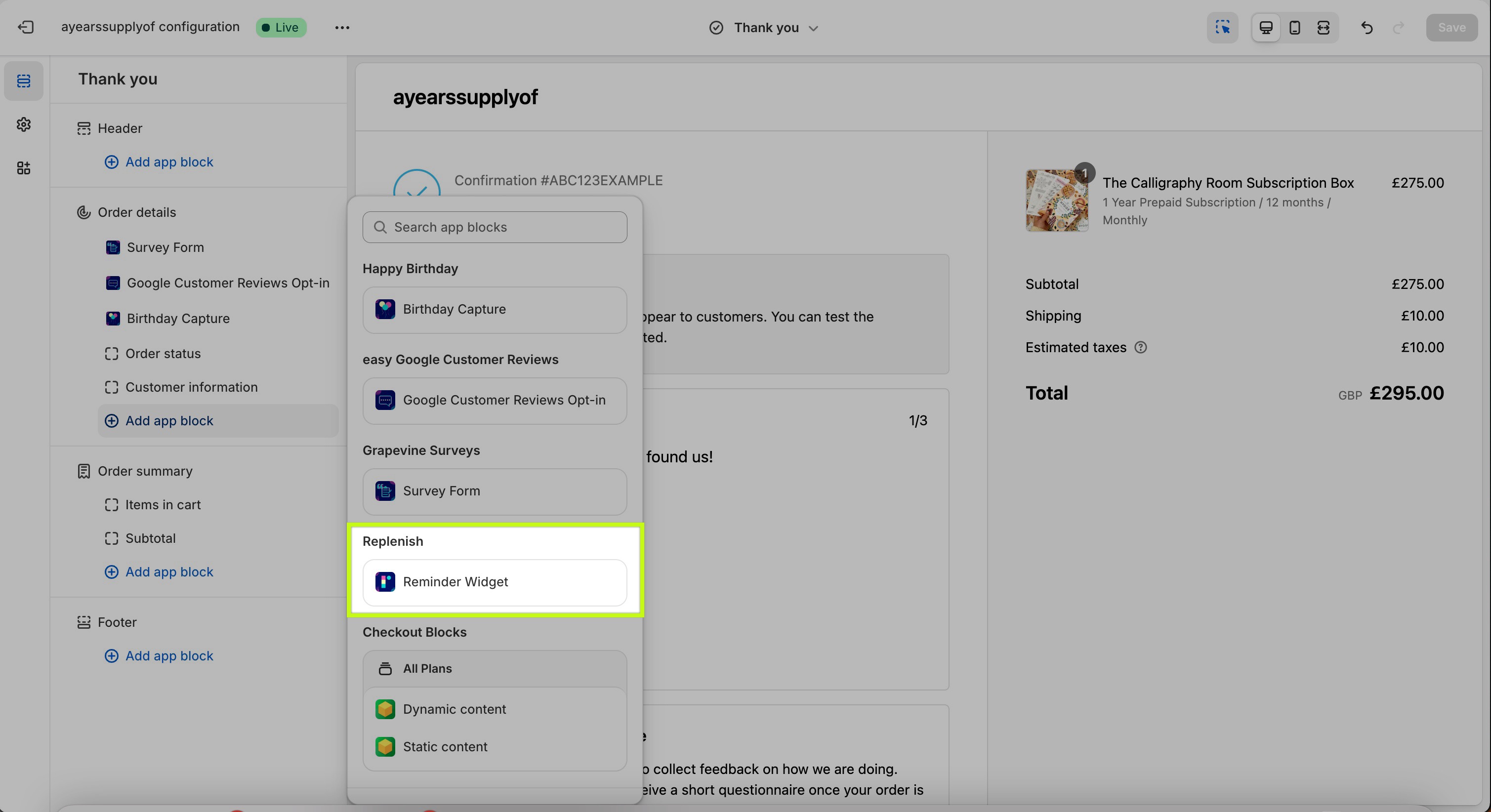
From the pop-up window, select the Reminder Widget app block from the Replenish section:
If you don’t see “Reminder Widget” in the list:
Confirm the Replenish app is installed in this Shopify store.
Refresh the Checkout Editor and try Add app block again.
Ensure you are editing the correct page type from the top dropdown (Thank You or Order Status).
The app block will be added to your Thank you page:
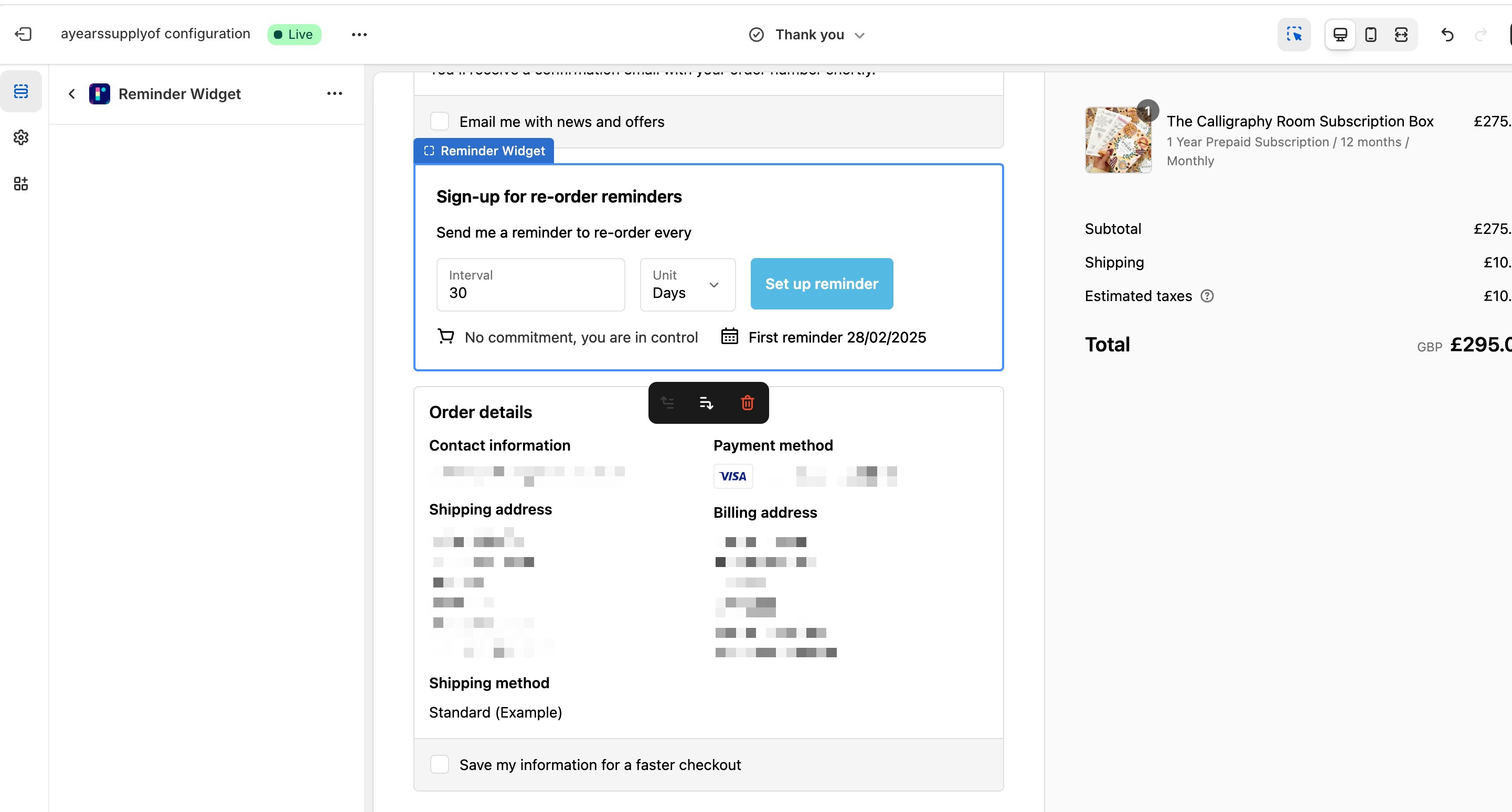
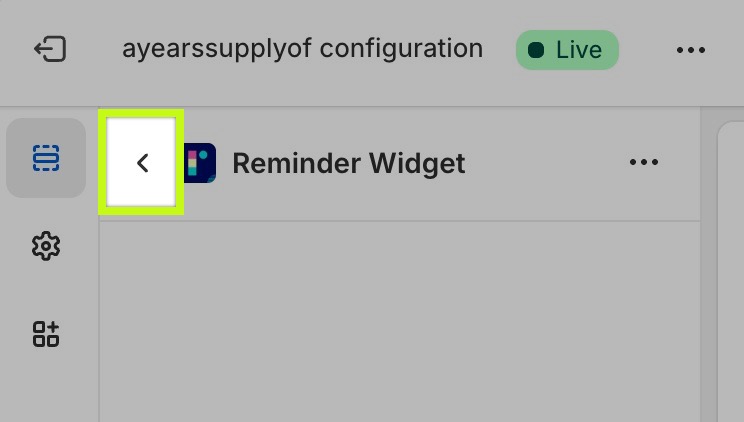
Click on the back arrow to return to the editor:
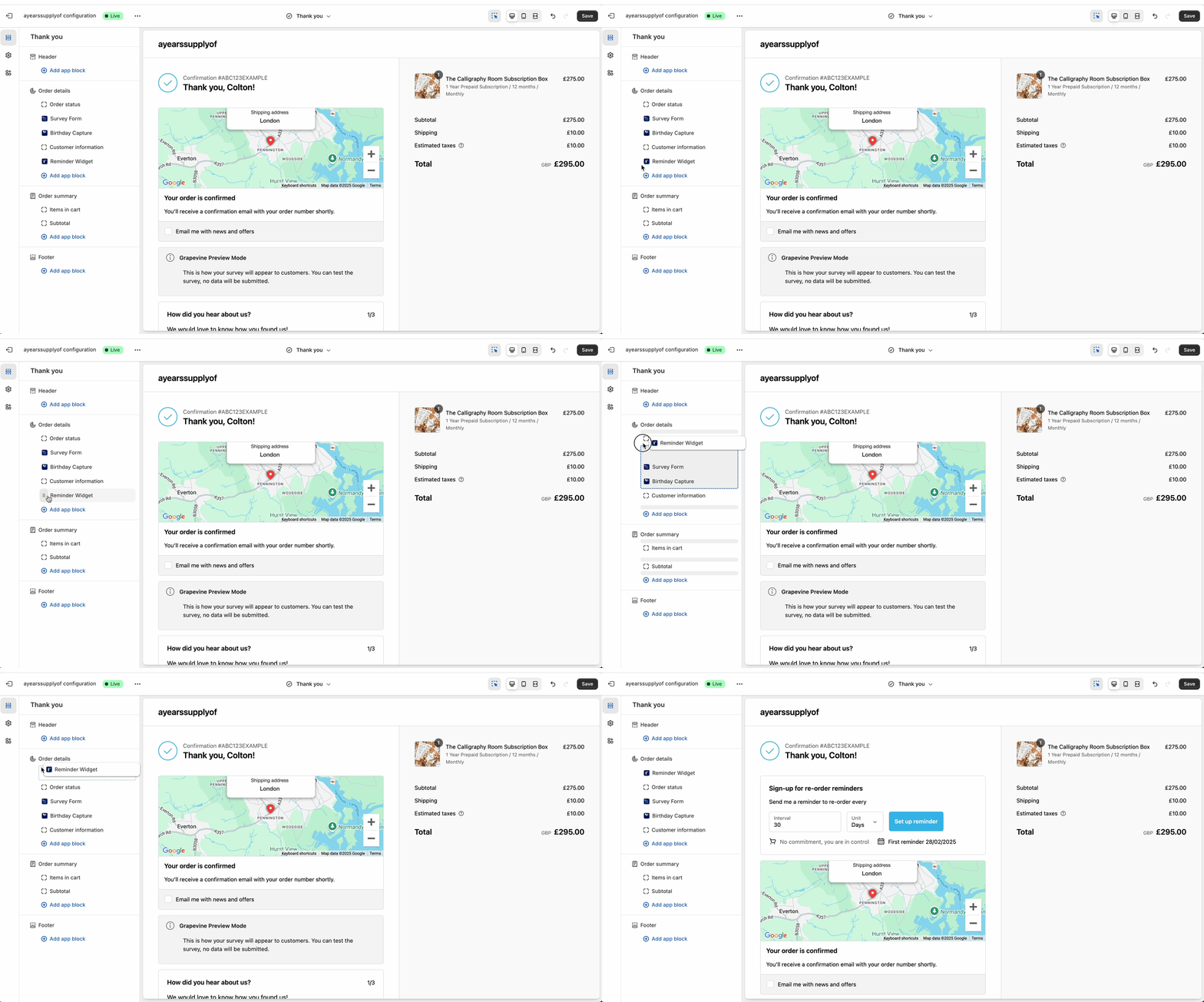
Within the left-hand pane of the editor, you can re-order the app blocks as required by hovering over them and dragging and dropping them into place:
Use the Save (or Publish) button in the top-right of the Checkout Editor to apply your changes, then repeat the steps above for your Order Status page and save/publish again.
That's it!
Need help?
If you need any help setting up Replenish, have questions about how it works, or would like a demo, we're here to help.
Email us at [email protected] and we'll get back to you as soon as possible.