
Managing Customers
Managing customers
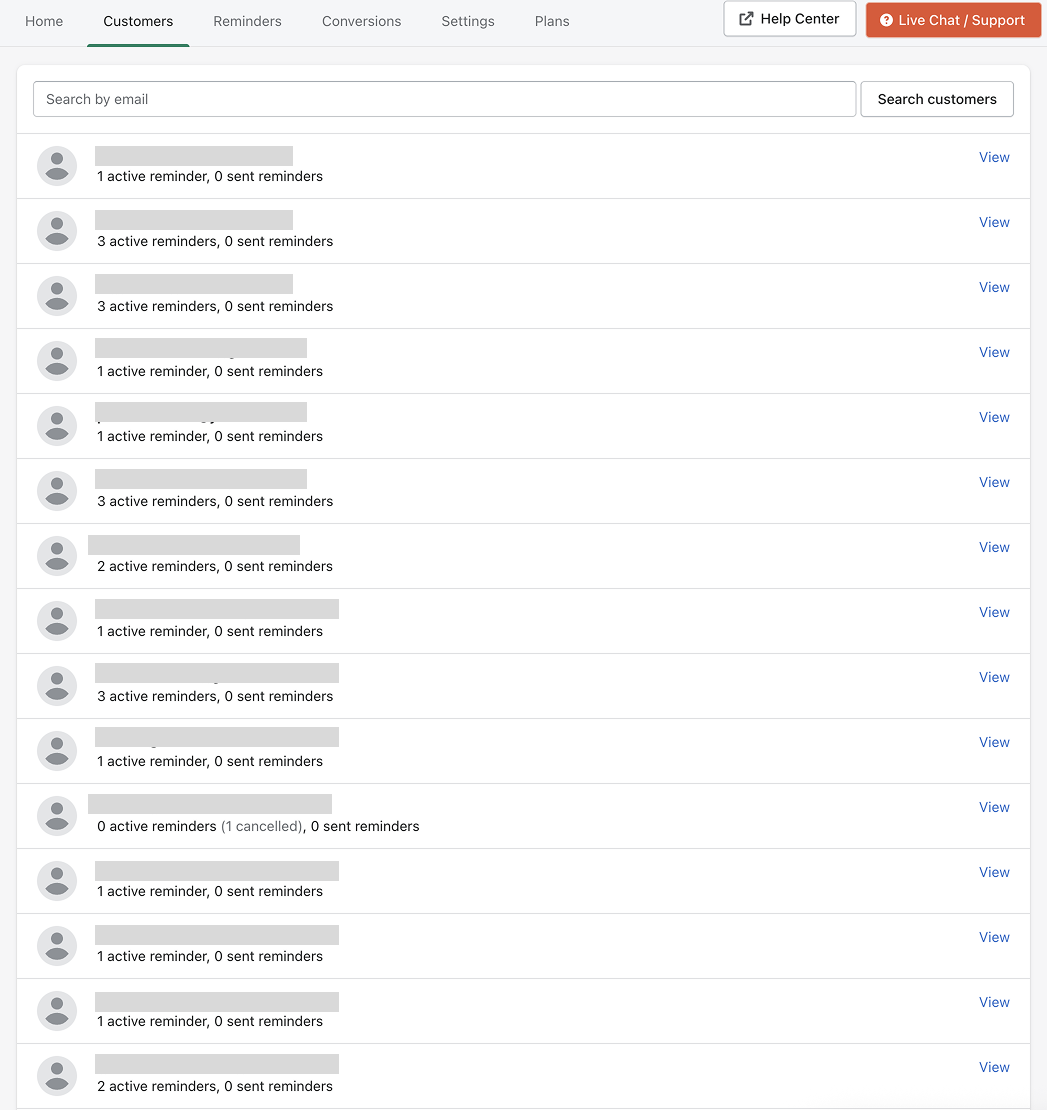
The Customers page shows all customers who have opted in to receive replenishment reminders.
From this page you can review which customers have active reminders and view the products they have chosen to receive reminders for.
Viewing customers
Open the Customers tab in the Replenish app to see a list of all customers who have signed up for replenishment reminders.
You can use the search bar to find a specific customer by email address.
Each entry shows:
The customer's email address
The number of active reminders
The number of reminders that have already been sent
Viewing customer reminders
Click View next to a customer to open their reminder details.
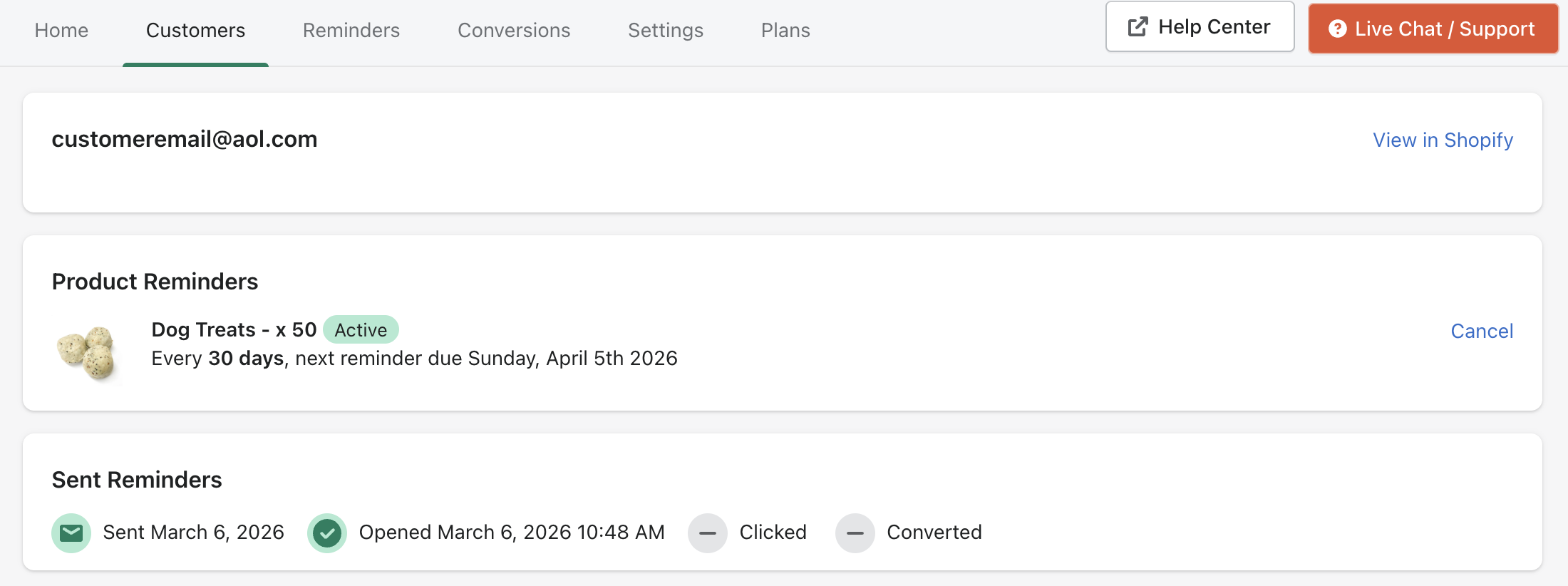
Here you can see the products the customer has scheduled reminders for, including:
The product name
The reminder interval
The date of the next reminder
You can also cancel reminders from this screen if needed.
In the customer’s reminder details, locate the reminder you want to stop.
Click Cancel (or the cancel option) for that reminder.
Confirm the cancellation when prompted.
Verify the reminder is no longer listed as active (or is shown as cancelled) for that customer.
Need help?
If you need any help setting up Replenish, have questions about how it works, or would like a demo, we're here to help.
Email us at [email protected] and we'll get back to you as soon as possible.