
Dashboard overview
The Replenish dashboard provides a high-level view of how your replenishment campaign is performing.
From the dashboard you can quickly see how many customers have opted in to reminders, how many reminders have been sent, and how many conversions have been generated.
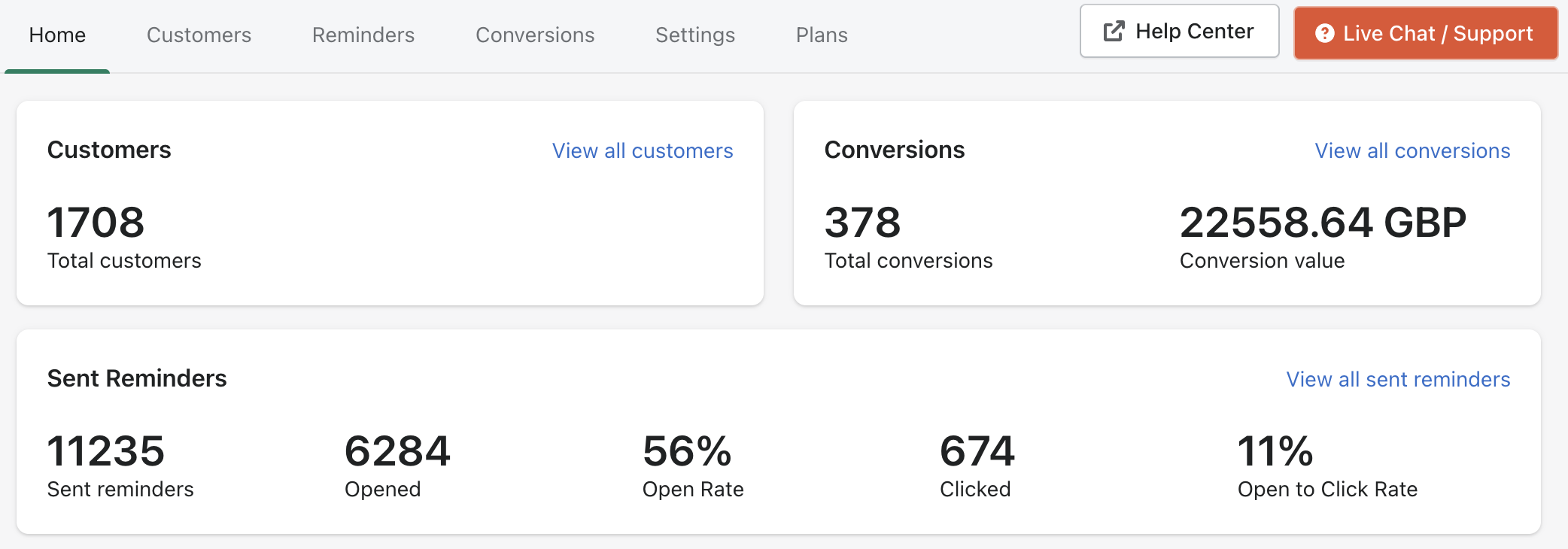
Customers
The Customers section shows the total number of customers who have opted in to receive replenishment reminders.
You can click View all customers to see the full list of customers and manage their reminders.
Conversions
The Conversions section shows:
Total conversions generated by replenishment reminders
The total value of those conversions
You can click View all conversions to see the full list of orders attributed to Replenish.
Sent reminders
The Sent Reminders section provides email performance metrics for your replenishment campaign, including:
Total reminders sent
Emails opened
Open rate
Emails clicked
Open to click rate
You can click View all sent reminders to see a detailed list of reminders that have been delivered.
Need help?
If you need any help setting up Replenish, have questions about how it works, or would like a demo, we're here to help.
Email us at [email protected] and we'll get back to you as soon as possible.