
Monitoring Reminders
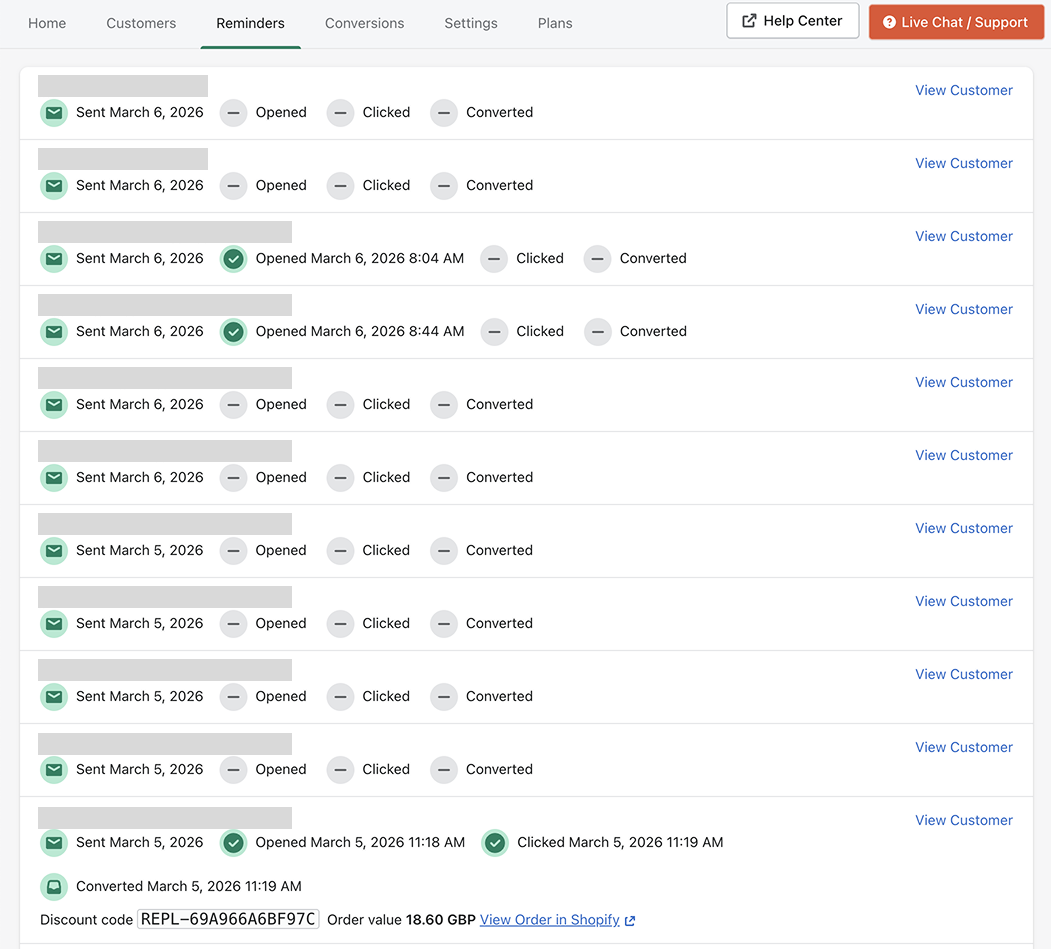
The Reminders page shows all replenishment reminder emails that have been sent to customers.
From this page you can monitor the status of each reminder and review email engagement.
Viewing reminders
Open the Reminders tab in the Replenish app to see a list of all reminder emails that have been sent.
Each reminder shows:
The customer who received the reminder
The date the reminder was sent
Whether the email was opened
Whether the replenishment link was clicked
Whether the reminder resulted in a conversion
These indicators allow you to quickly see how customers are interacting with your reminder emails.
Viewing reminder details
Click View Customer to see more information about a specific customer.
From the customer view you can review:
The products the customer has reminders scheduled for
The reminder intervals
The history of reminders sent to that customer
Any conversions generated from those reminders
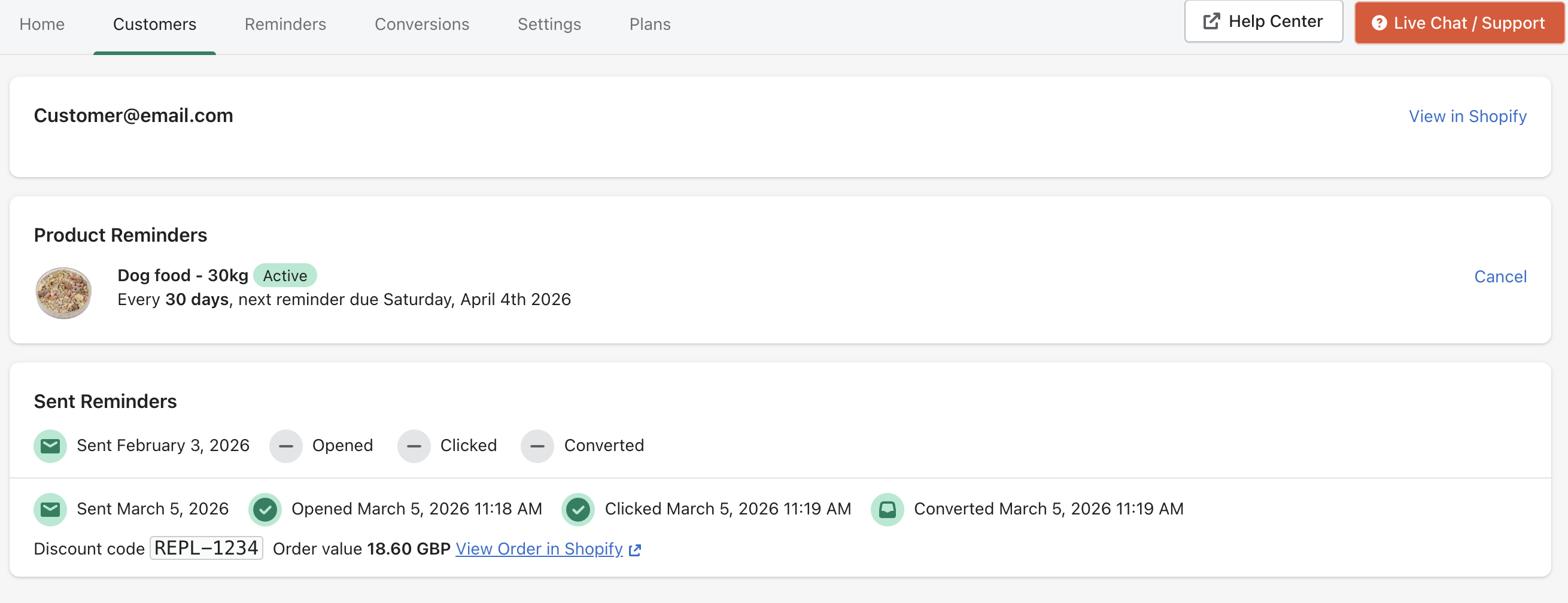
If a reminder results in a purchase, the conversion details will also include the order value and a link to view the order in Shopify.
Need help?
If you need any help setting up Replenish, have questions about how it works, or would like a demo, we're here to help.
Email us at [email protected] and we'll get back to you as soon as possible.